
A UX CASE STUDY • Group academic project
An iOS social fitness app that turns everyday steps into sponsor-funded donations for local tree planting.
When my team was assigned sustainability and climate change, I saw an opportunity to draw on my background in architecture and urban planning. I proposed focusing on urban heat islands, knowing how much tree canopy and shade can shape the comfort of dense city environments like Chicago and New York.
We started by recognizing a common barrier: giving back often takes extra time, money, or planning. Step Sprout creates an easier entry point by turning casual walking into support for local tree planting through conservation nonprofits. Friends can join competitions, see where others rank, and keep each other moving.
pROjEct snapshot
ROLE
Product Designer
TIMELINE
9 Weeks
Team
4 Students
Sarah Gibson, Emily Dooley, Najee StoryTOOLS
Figma, FigJam, Qualtrics, Marvel
Concept strategy, UX/UI design, prototyping, user research, stakeholder research, usability testing, iteration
RESPONSIBILITIES

I co-conducted a stakeholder interview with Openlands, a Chicago conservation nonprofit, alongside Sarah to understand how local tree planting, funding, and community participation work in practice. I later designed the full high-fidelity experience in Figma and shared responsibility with Emily for building the interactive prototype.
My primary contributions were concept strategy, stakeholder research, and product design. I set the initial direction during ideation, which the team selected to carry forward, and then continued shaping it through research and iteration.
my Contributions

Project INTRODUCTION
Dense Chicago neighborhoods with less tree canopy experience more heat, but supporting local tree-planting efforts often requires extra time, money, or knowing where to start.
pROblem Statement
How might we create easier pathways for Chicago residents to get involved in local tree-planting efforts that help reduce urban heat?
Design question
Design Opportunity
What if people’s steps could translate to trees planted?

Could everyday steps really support local tree planting?
Research
We surveyed Chicago-area residents to understand how walking and fitness fit into their routines, what keeps them motivated, and their interest in seeing more trees. In parallel, we interviewed Openlands, a Chicago conservation nonprofit, to understand what it takes to get trees planted.
Walking was already a part of people’s routines.
54% of respondents walked 5,000-10,000 steps a day, and health was the primary reason they stayed active. This gave us an existing behavior to build on.
Automatic tracking could keep participation low effort.
Apple Health was the most-used fitness platform at 68%, followed by Strava and Whoop at 16% each.
People wanted more trees, but planting them comes at a cost.
Over 40% of respondents expressly said they wanted to see more trees in their community. Openlands told us a medium-sized tree costs about $200 before labor, overhead, and maintenance.
Users wanted community, visible progress, and competition.
Among the 23 respondents who answered this question, community-based features were the most requested, followed by data graphs and charts, medals and awards, points and leaderboards, and badges.
Openlands also reinforced a key gap: many residents still don’t know how to take the first step toward getting trees planted in their area.
Understanding the user
Working Personas
We developed a primary and secondary persona from patterns in our research. John, our primary persona, wanted more shade in his community and ways to encourage others to get involved. Morgan, our secondary persona, wanted to become more active through competition with friends.
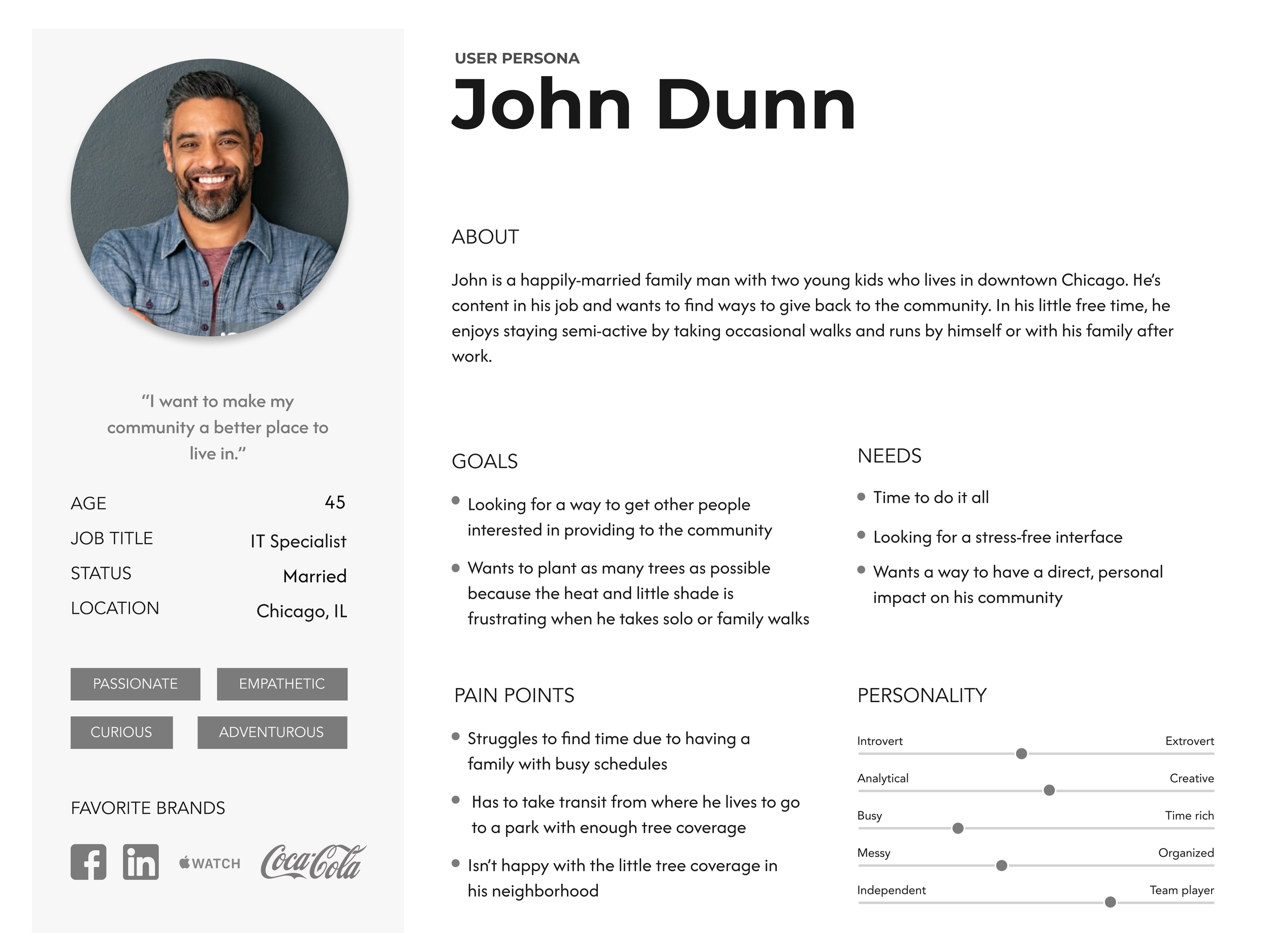
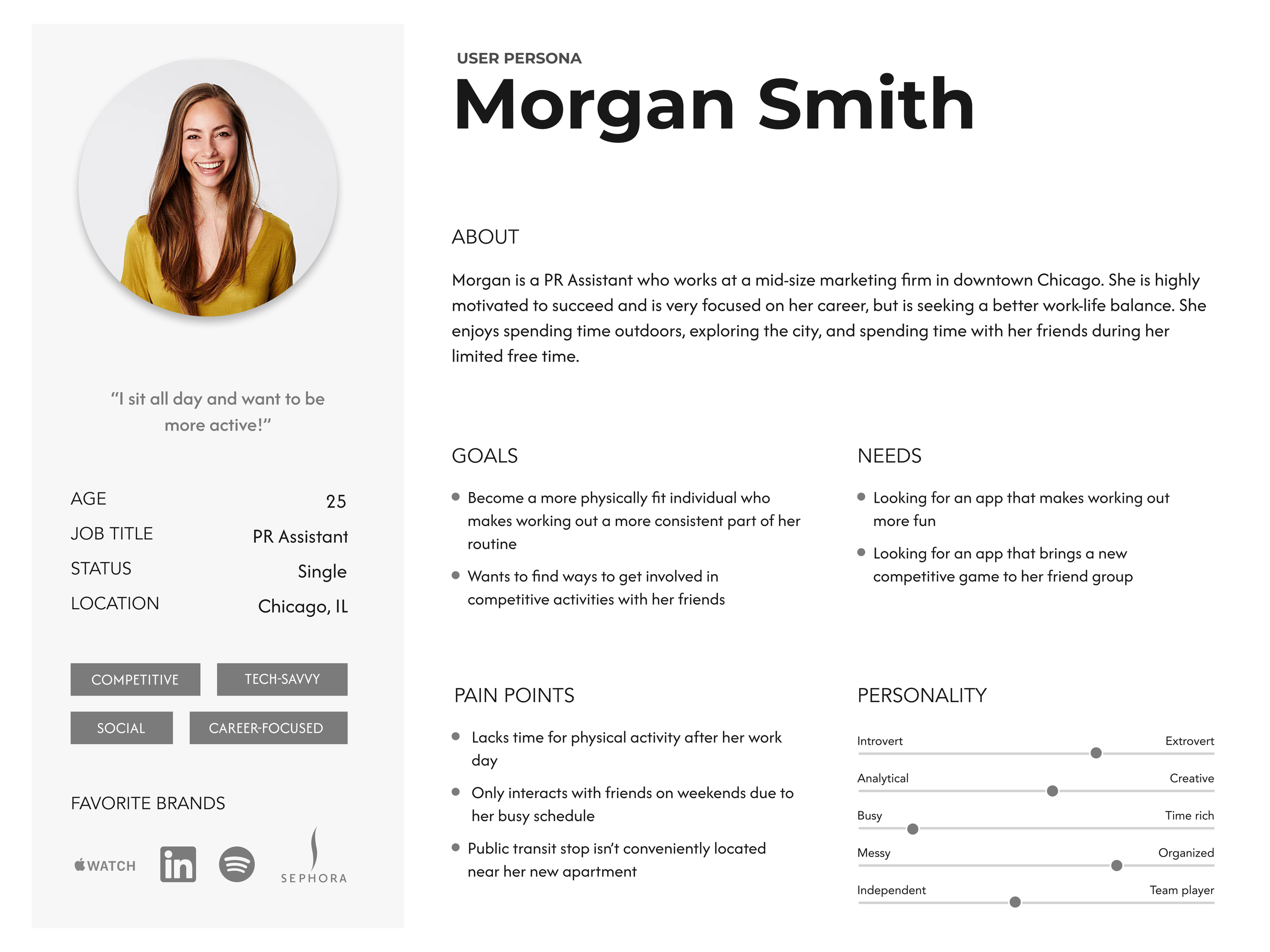
Both were short on time, so Step Sprout needed to fit easily into their routines. For John, the value was seeing his everyday activity contribute to more trees in his community. For Morgan, it meant giving her a reason to return through friendly competition and encouraging feedback.
Mapping Their Journeys
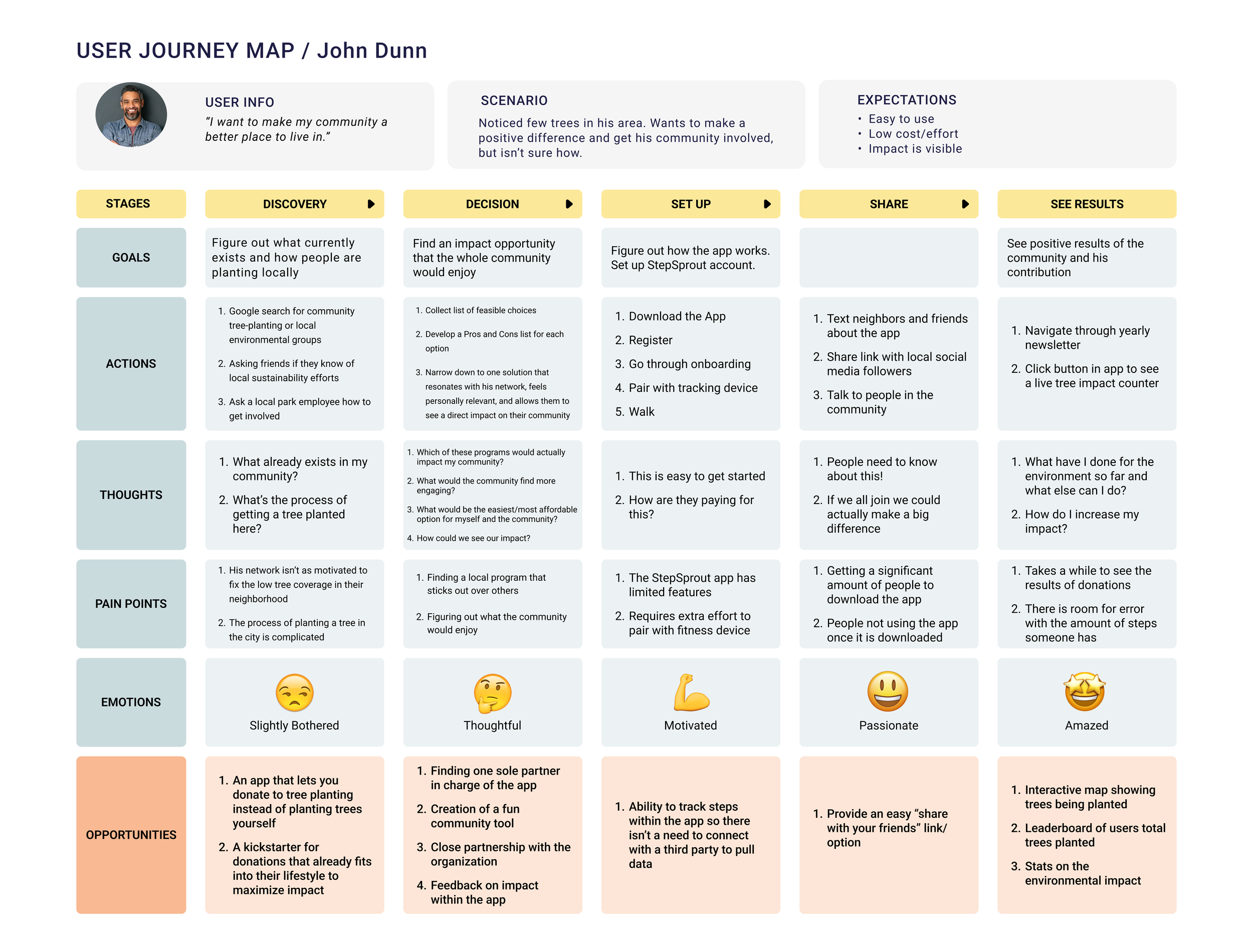
We mapped how John might discover Step Sprout and begin using it as a way to give back locally. His journey pointed to two important opportunities: making his environmental impact easy to see and giving him a simple way to share Step Sprout with others in his community.
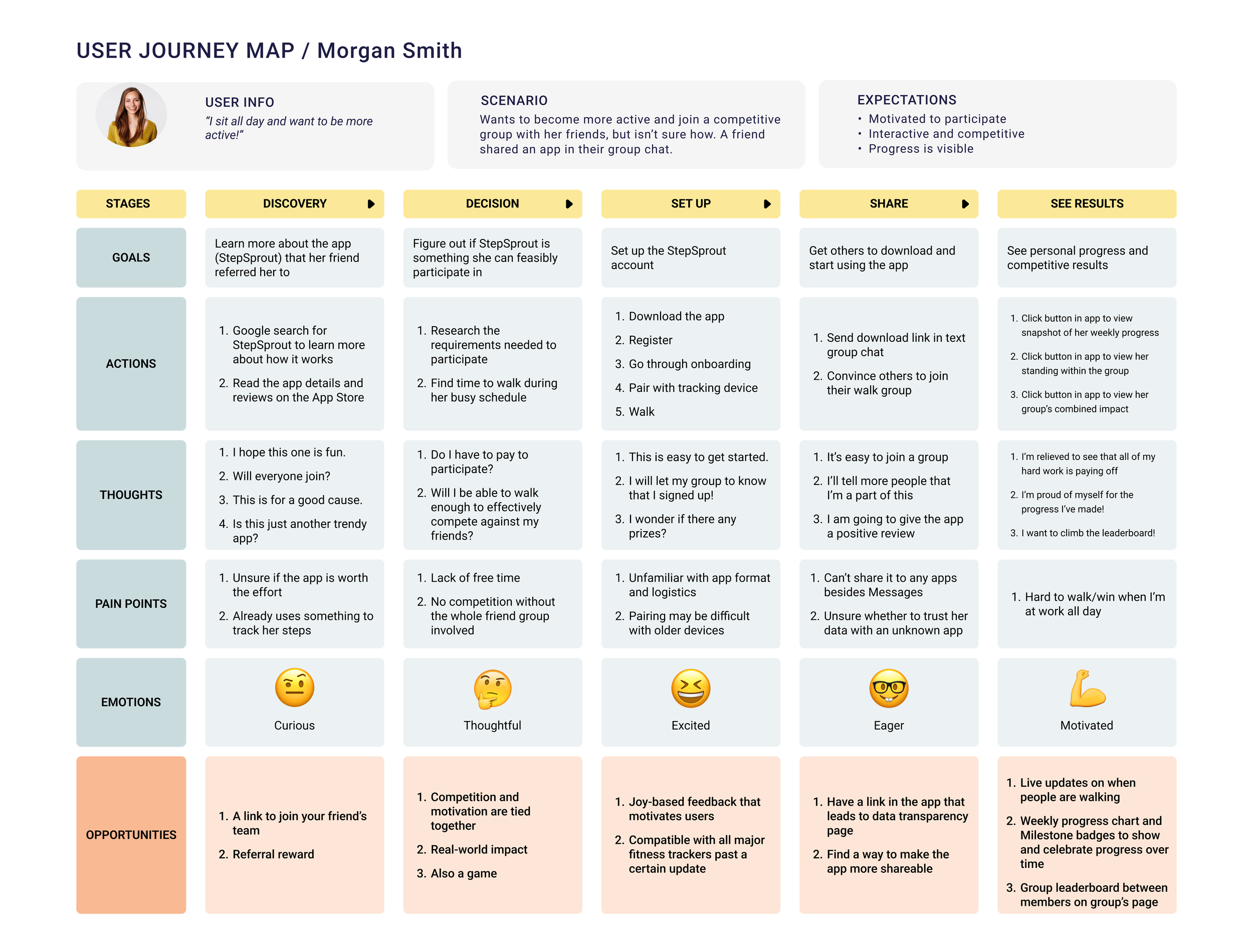
We mapped how Morgan might move from discovering Step Sprout to participating regularly. Her journey helped us identify where competition and progress feedback could give her more reasons to stay active and return.

designing the Experience
The Core Experience
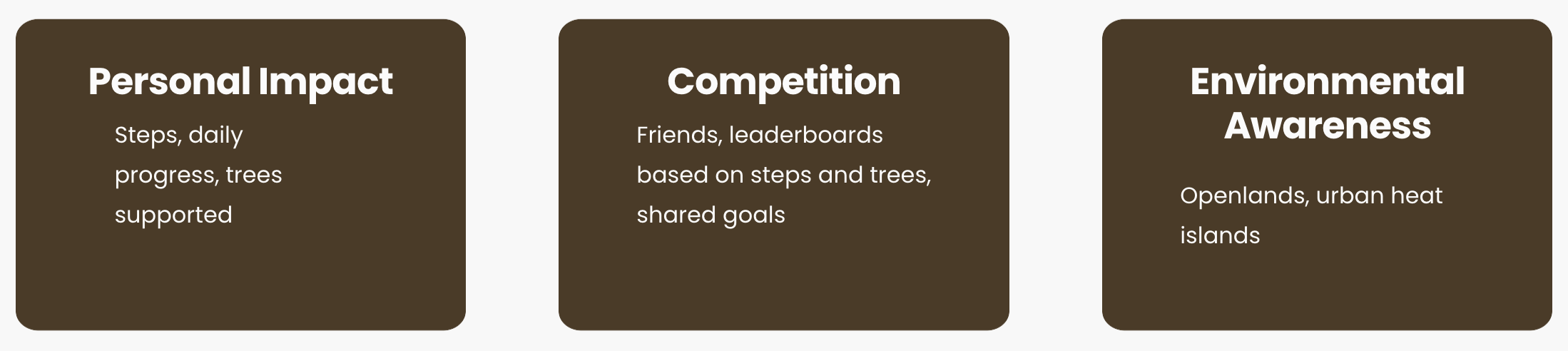
We organized the experience around three areas: tracking personal impact, joining competitions, and connecting the experience back to Openlands and urban heat islands.
From Sketches to a Shared Direction
Once we had the core experience mapped out, we each spent 10 minutes sketching independently. Then, we compared our ideas and discussed the thinking behind them. Finally, we combined the strongest ideas into a shared paper prototype, building out the progress, forest, profile, and competition screens.
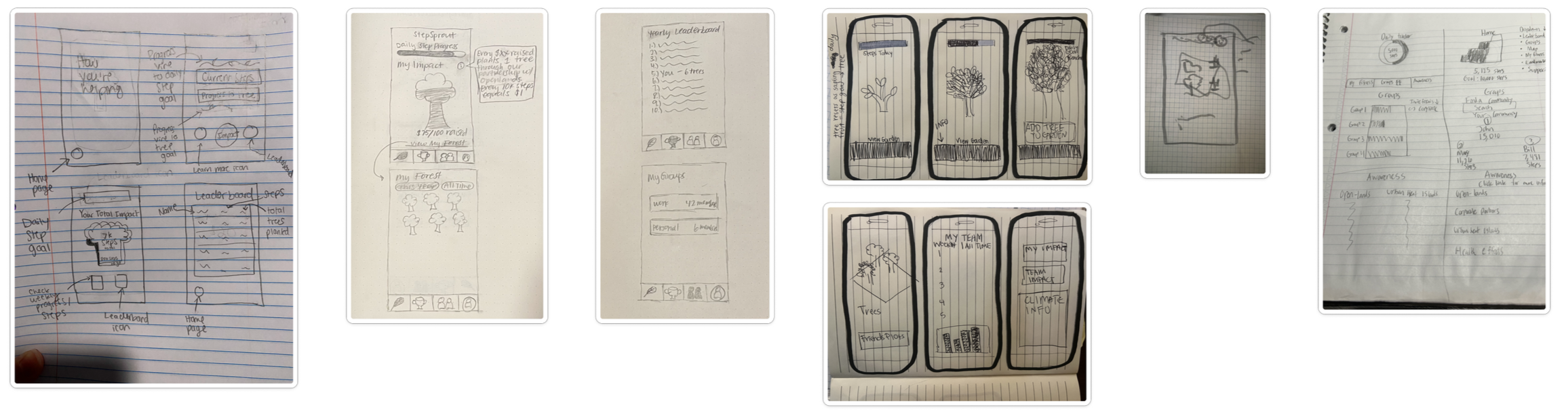
Individual sketches

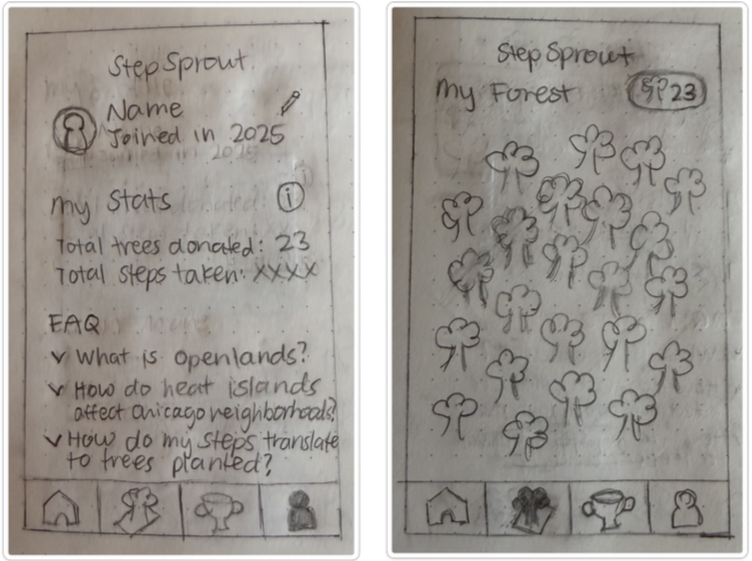
Shared paper prototype


Creating a competition
My Design work
Moving to High Fidelity
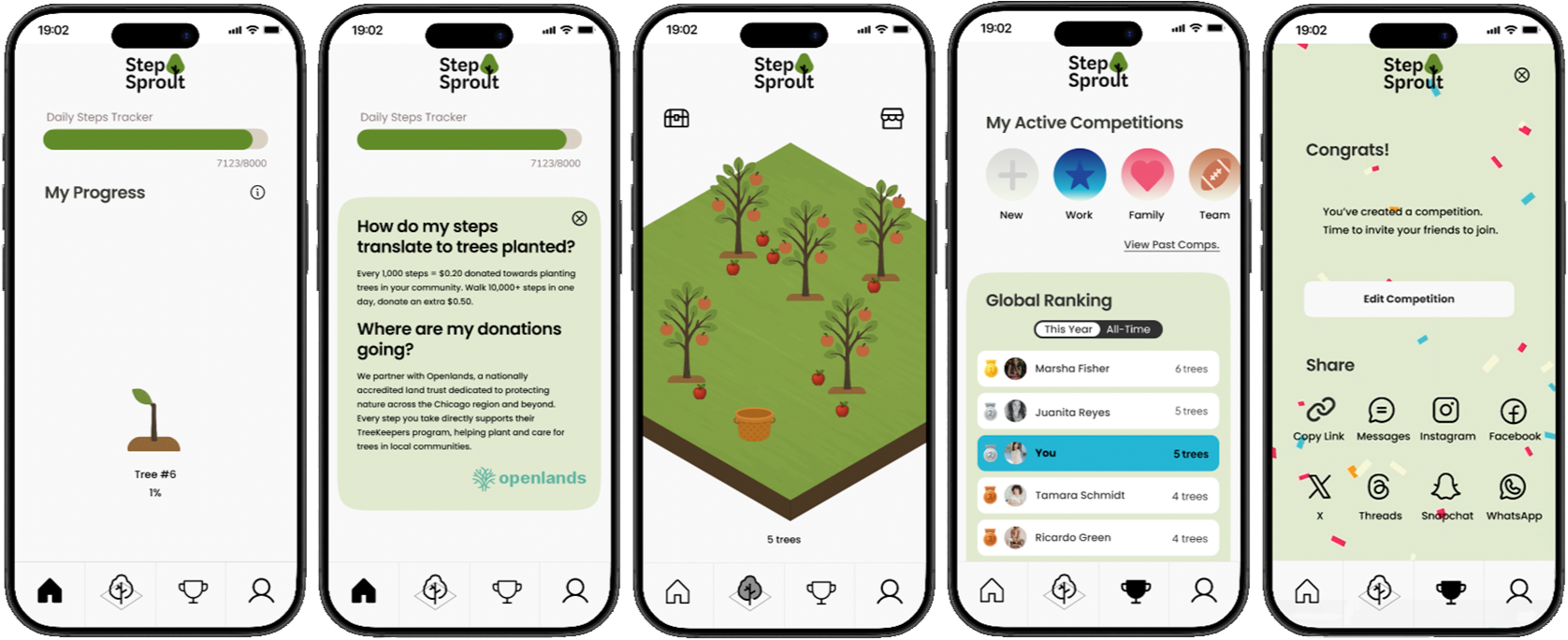
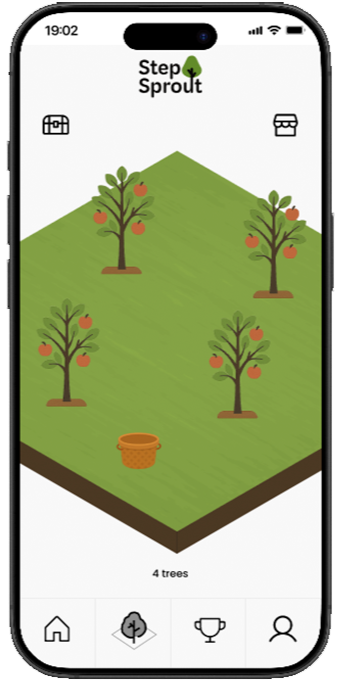
Once our direction was set, I took ownership of translating the paper prototype into high-fidelity screens in Figma. I developed the visual direction and partnered with Sarah on the logo.

connecting steps to impact
How the Impact Works
We chose a sponsor-funded model so users could support local tree planting through walking without donating their own money. In our proposed model, every 1,000 steps would generate a $0.20 donation, with an extra $0.50 for reaching 10,000 steps in a day. Funds would support Openlands’ TreeKeepers program, while virtual trees would make users’ progress visible within the app.
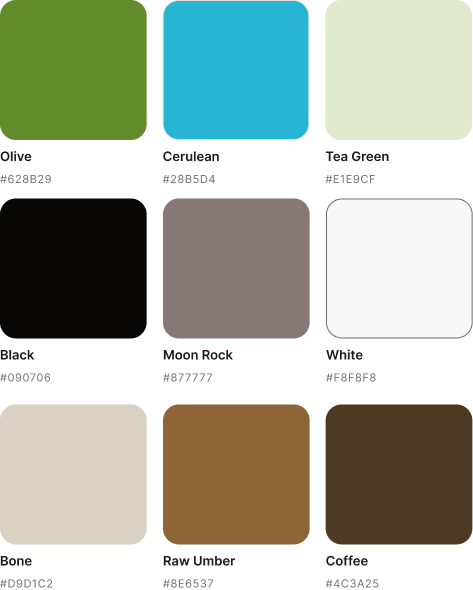
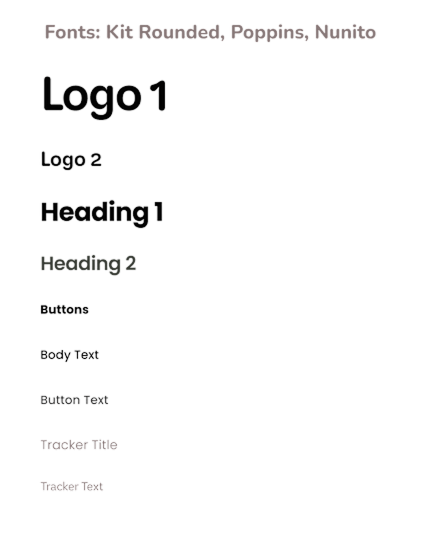
VISUAL SYSTEM & COMPONENT LIBRARY
Building the Visual System
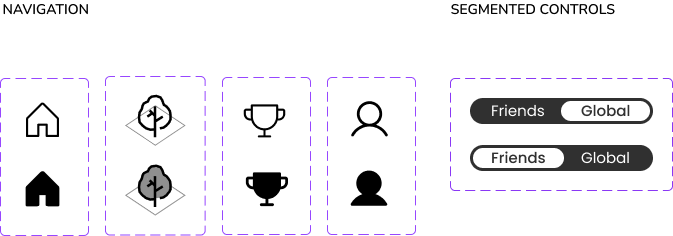
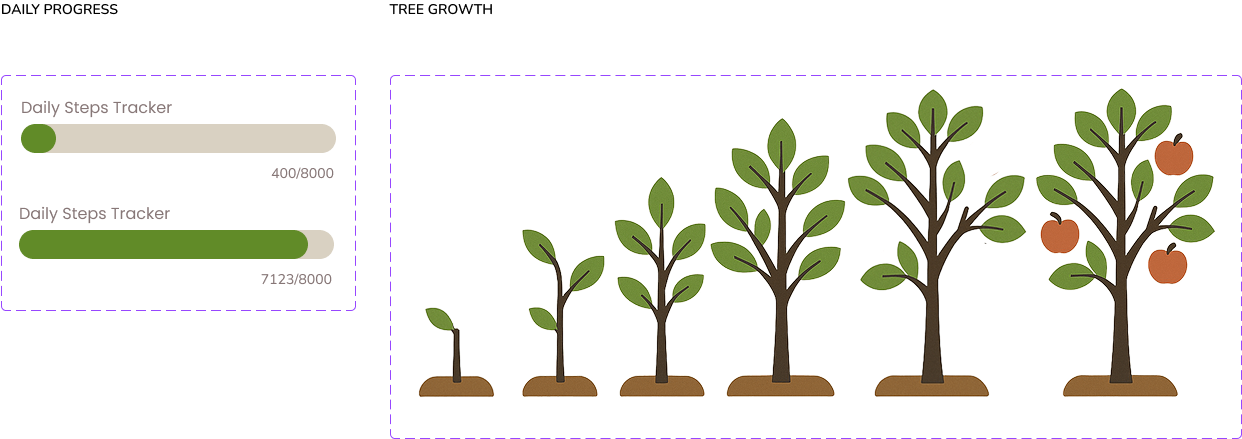
As the prototype grew, I carried the visual direction into a reusable component library so repeated patterns stayed consistent across the experience.
User Feedback & Opportunities
TESTING
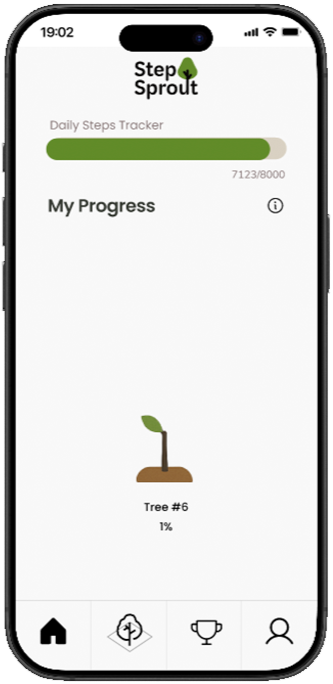
Progress needed to be more concrete.
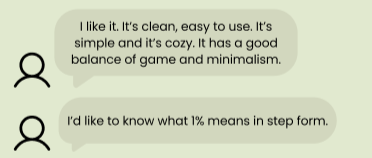
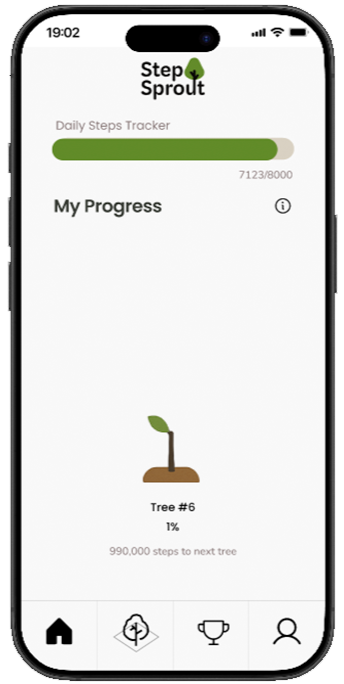
Users wanted to know exactly how many steps remained before their next tree donation, not just their percentage to completion.
The forest needed a clearer interaction model.
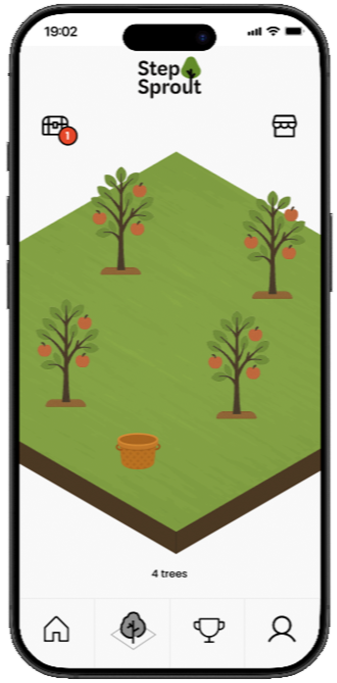
Users weren’t always sure how to interact with the forest or what actions were available.
The profile didn’t fully match users’ expectations.
Some expected account and settings controls there, while still valuing the personal stats.
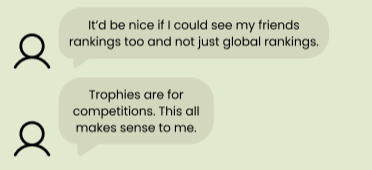
Users wanted more ways to compare progress with friends.
They wanted to see friends’ step counts, not just trees planted.
What Changed After Testing
ITERation
➔
Making progress easier to understand.
I added the remaining step count alongside the percentage so users could see exactly how close they were to their next tree donation.
➔
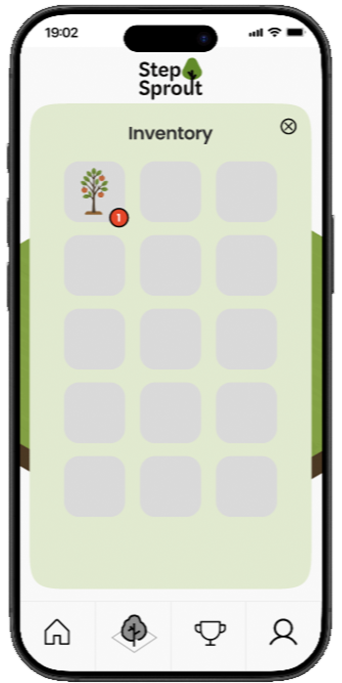
Making the forest easier to interact with.
I added a notification cue to the inventory and built out the inventory view so users had a clearer path to discovering what they could do there.
➔
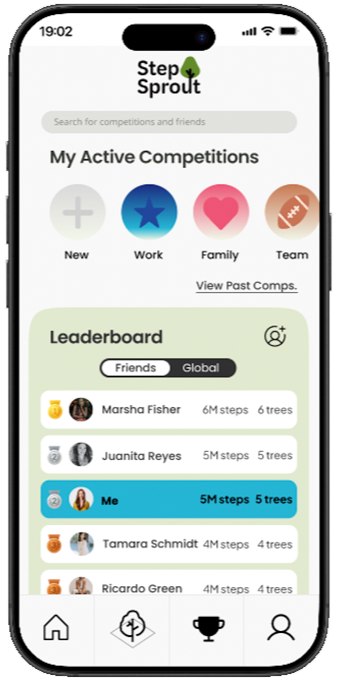
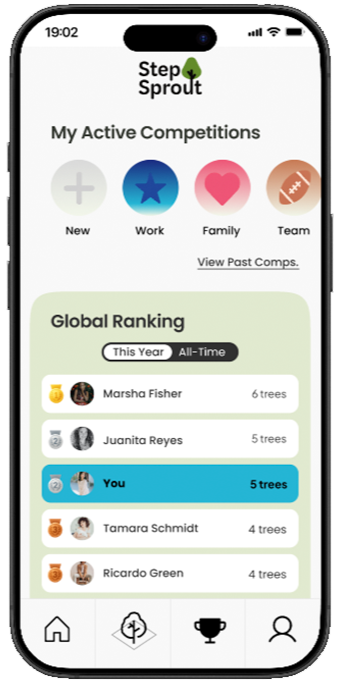
Expanding the social experience.
I added friends’ step counts, a Friends / Global leaderboard view, new ways to find and add friends, and the ability to search for competitions.
➔
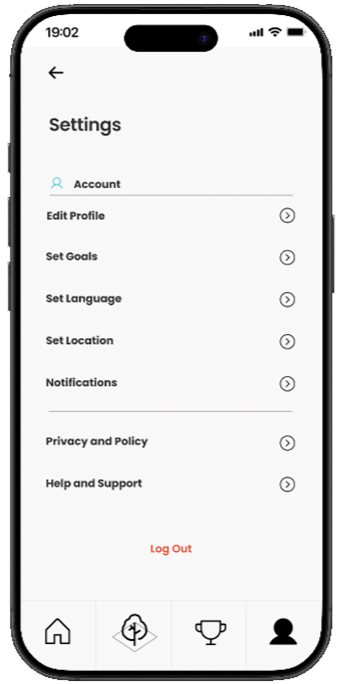
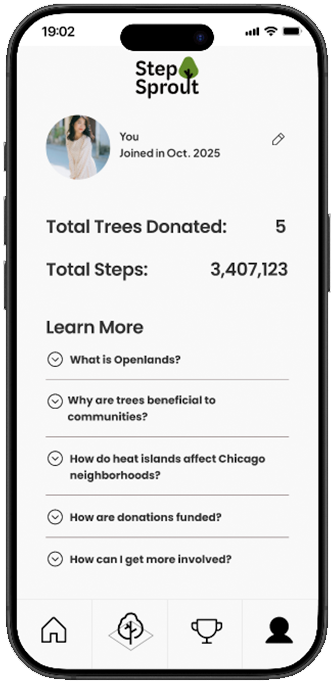
Making the profile more familiar.
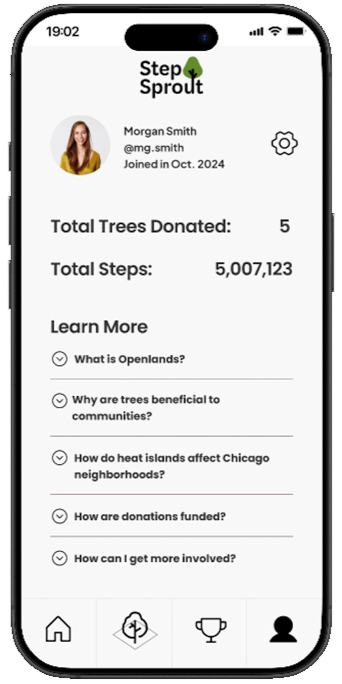
I kept the personal stats, added a social handle, and created a clear settings entry point from the profile.
Within settings, I added controls for goals and location, with location also laying the groundwork for more neighborhood-specific experiences in the future.
Animations
Adding Flair
Finally, I added motion to make progress and feedback feel more immediate. The logo intro, tree growth, tree addition, and celebratory moments helped reinforce what was happening and add flair.
Logo Intro
Tree Growth
Tree Added
Celebration
FULL PROJECT Walkthrough